Every document, answered in one table.
Ask the same questions of every document in the matter and read the answers side by side, each linked to its page. Then check the contract and redline it.
What is tabular review?
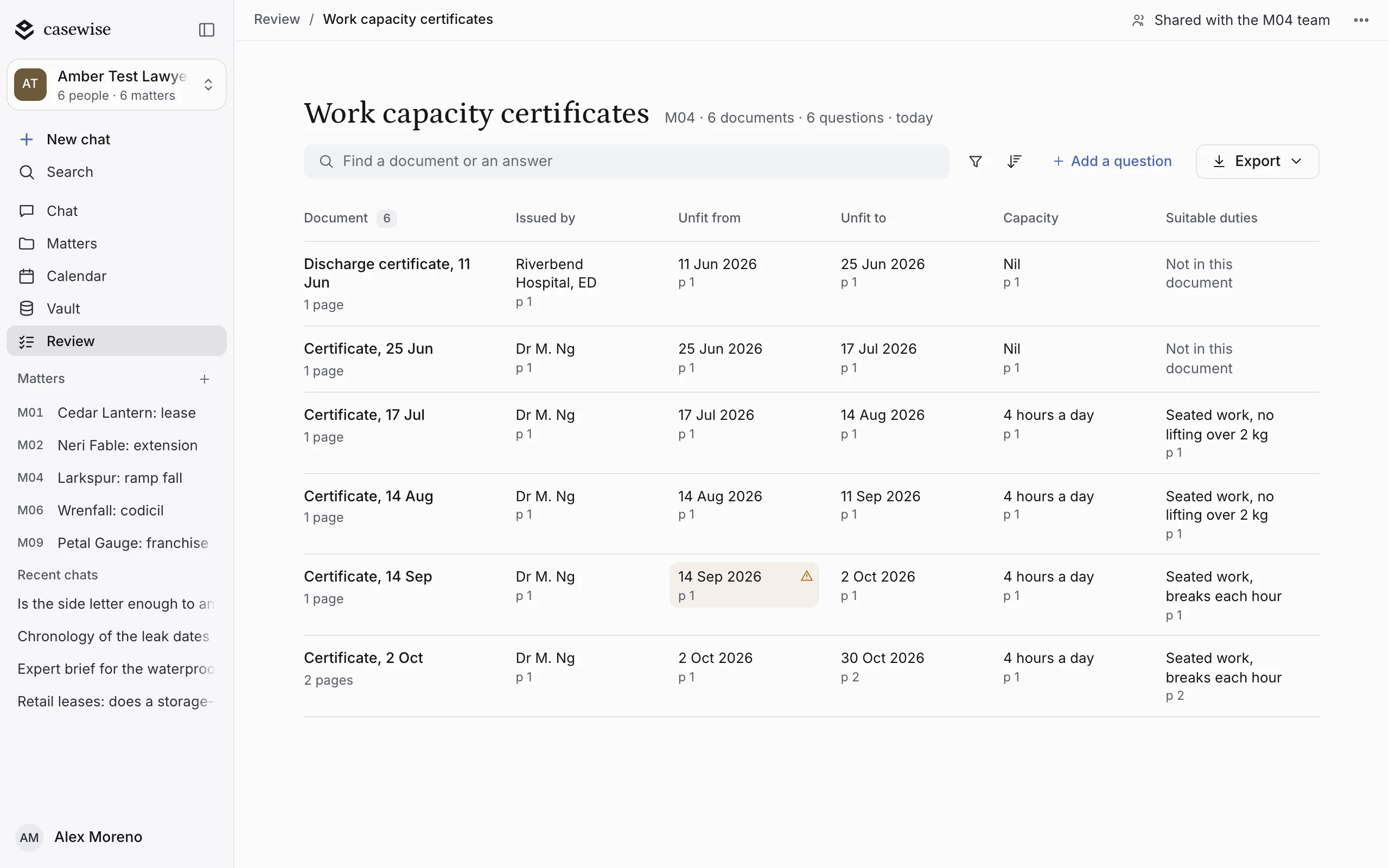
One table for a whole folder of documents. Give casewise the files and the questions to ask: every row is a document, every cell is an answer linked to its page, and gaps between documents are flagged. casewise checks a contract against the heads and redlines a draft in the same place, and you accept each change.
A folder, answered in one table
Every document down the side, your questions across the top, and the page behind every answer.
- 1A row for each documentEvery document in the folder gets its own row, with its length beside it.
- 2An answer and its pageEach cell answers your question and links to the page it came from.
- 3The gaps, flaggedWhere one document doesn’t fit with the rest, the cell is flagged.
- 4Add a question, or exportAsk the whole table one more question, and export it when it’s done.
Every finding beside its clause
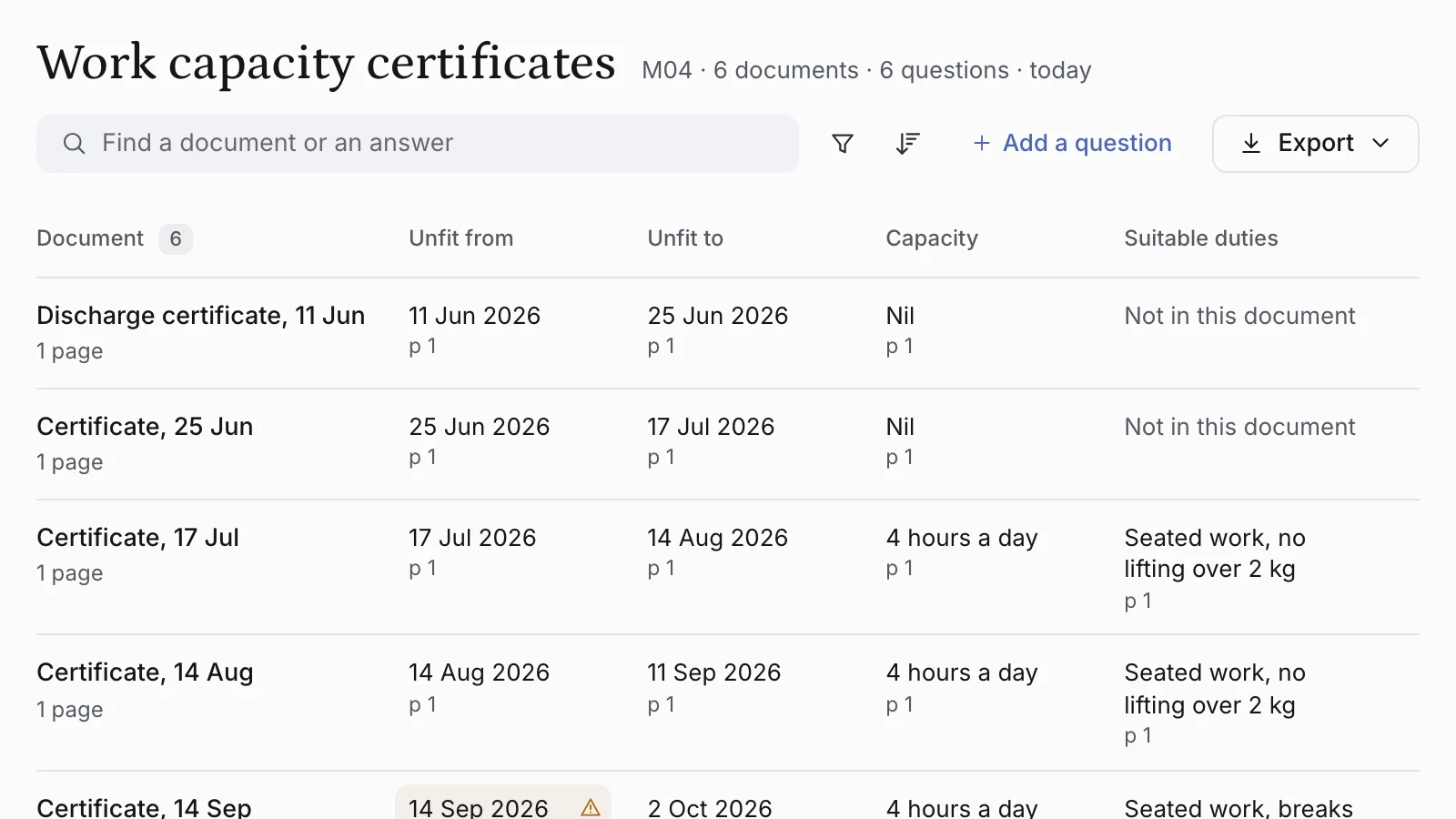
The clause, what it should say, what it costs and what to do about it.
- 1The clause, where it sitsWhat differs is marked on the page, in the draft you’re reading.
- 2What the heads sayThe heads and the clause, quoted side by side, with the words that differ.
- 3What it costsWhat the change means for your client, worked out from the document.
- 4You decideDismiss the finding, or have it suggested as a tracked edit you accept.

Every kind of review, in one place
Each starts in the same chat. A folder comes back as one table; a document comes back with its findings beside it.
A folder, answered in one table
Give it a folder or several files and the questions to ask. Every row is a document, every cell an answer.
A contract, against the heads
Give it the draft and the heads or your checklist. It reads every clause and gives each point its place.
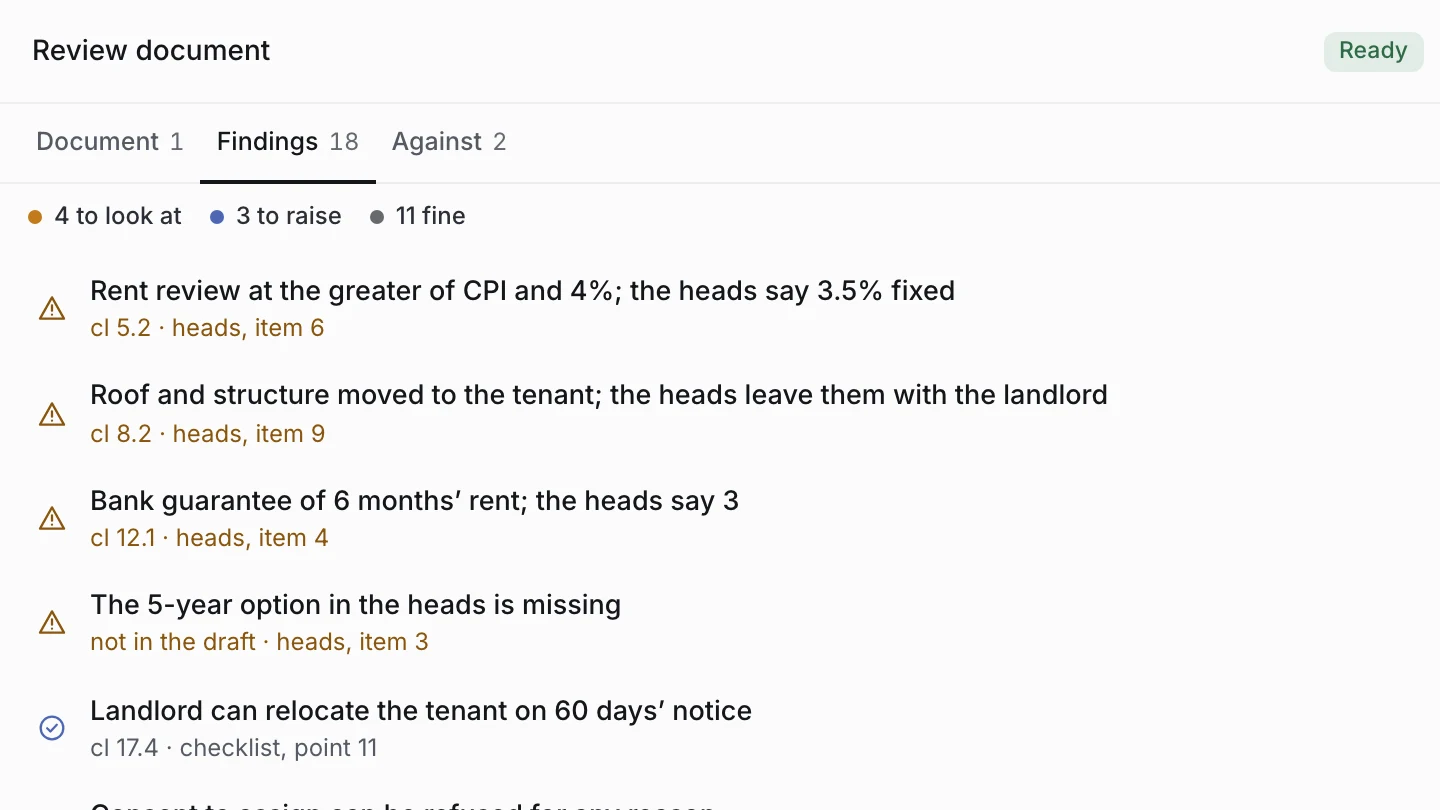
Changes marked, with reasons
Give it a draft and a precedent or an instruction. It suggests tracked changes, each with its reason.
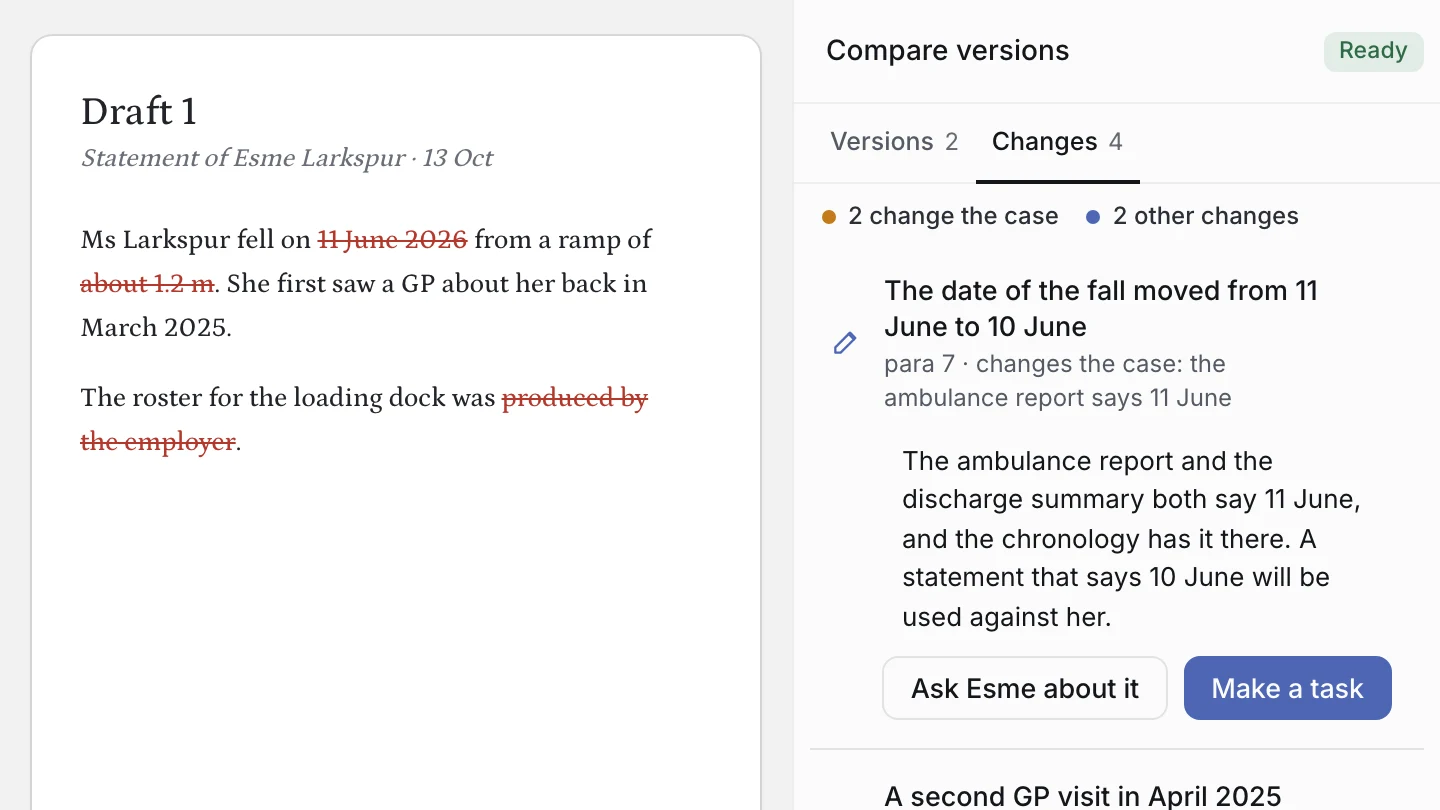
What changed, and what matters
Give it two versions of a document. It lists what changed, and which changes matter to the case.
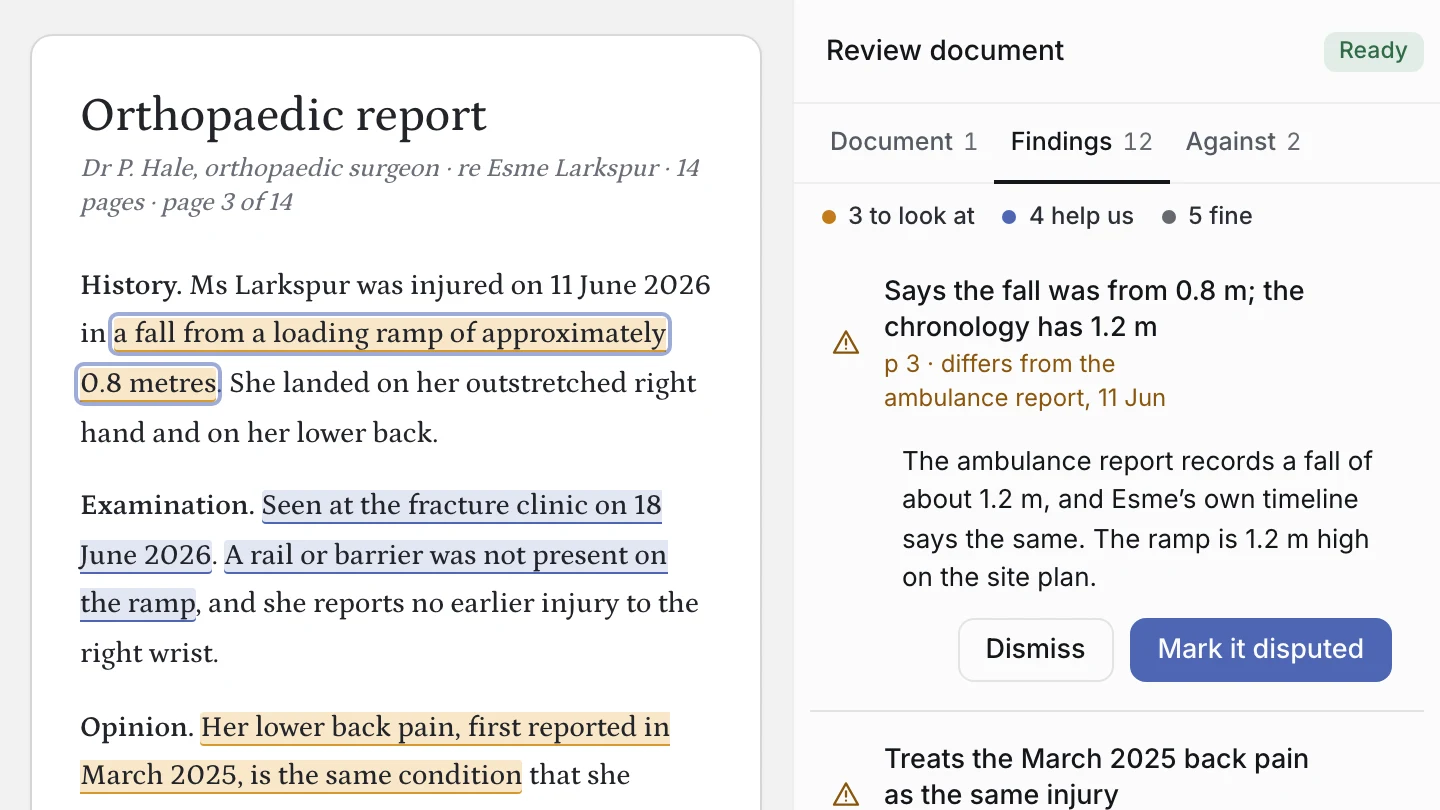
A report, against the file
Give it the report and the matter. It says what helps, what hurts and what doesn’t match the chronology.
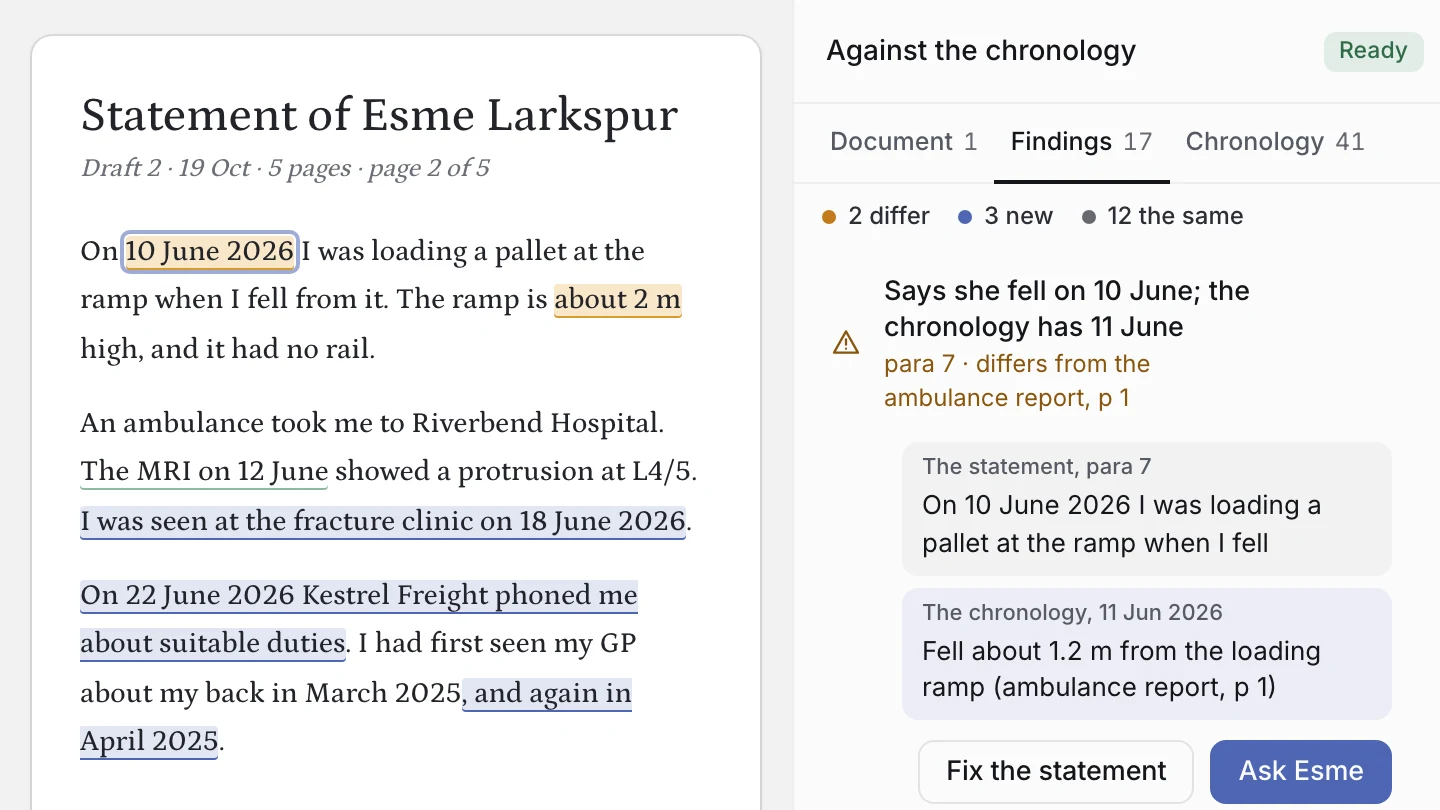
Every date, against the file
Give it a document that states facts and dates. Each date is matched to the matter’s chronology.
Checking footnotes for an essay or submissions? Citation and AGLC4 checks are in casewise for students.
See a review through
The table, the findings and the redline, from start to finish.
A stack of documents, one table
Ask the same questions of every document in the matter, and read the answers side by side.
- Each answer linked to its page
- Gaps between documents flagged
- Export the table when it’s done
A contract, read clause by clause
casewise lists what needs your attention, worst first. Work through each finding and decide.
- Every finding tied to its clause
- Fixes arrive as edits to accept or reject
- Nothing changes without your say
A letter, redlined
Give it a letter and your instructions, and each change comes back as an edit you accept or reject.
- Nothing changes without your say
- Every point linked to its source
- Out as a Word document
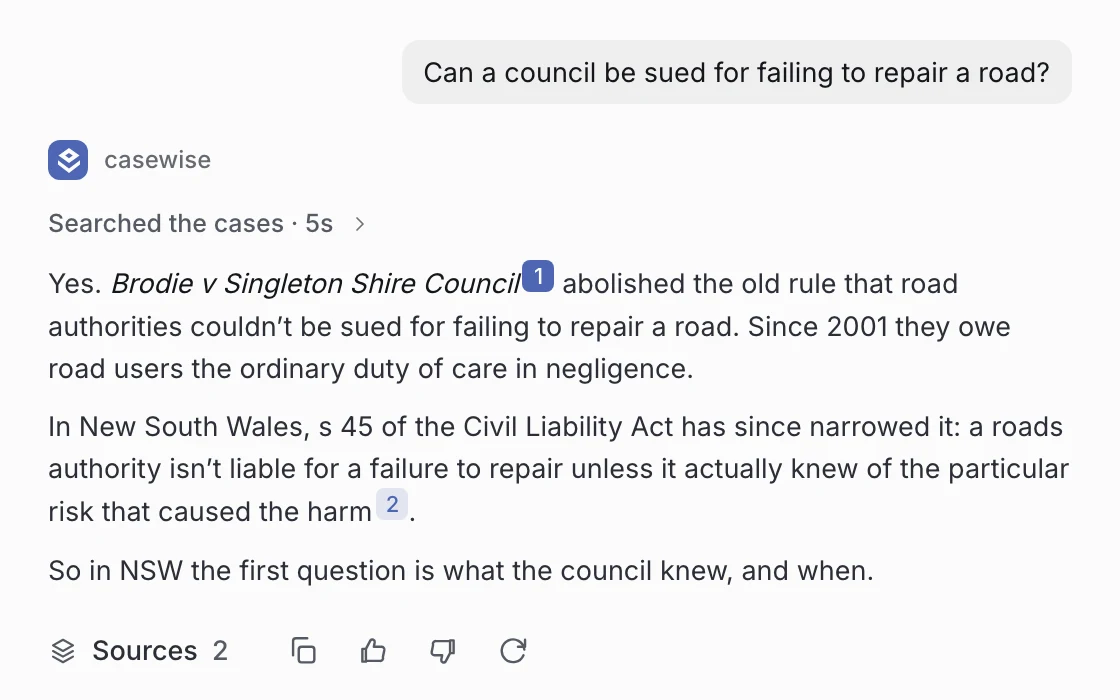
Then, on the same matter
FAQ
Can it review a whole folder at once?
Yes. Give it a folder or several files and the questions to ask. Every row is a document, every cell an answer linked to its page, and you export the table when it’s done.
What can it read a contract against?
The heads of agreement, your checklist, a precedent or an instruction. Add them as you start the review.
What does a finding look like?
The clause, what the heads or your checklist say, what the difference means for your client and what to do about it, beside the page in the draft you’re reading.
Does it change my document?
Only when you accept a change. Every suggestion is a tracked change you can accept, reject or undo.
Can it compare two versions?
Yes. Give it two versions of a document and it lists what changed and which changes matter, each one at its paragraph.
Does it check citations too?
Yes. Every footnote can be checked against its source and put into AGLC4 form, as edits you accept.
Put your next folder in one table.
Students from A$17.99 a month. Professionals from A$79.99 a month.