Every matter’s files, in one place.
Your folders, every matter’s folder and what’s in SharePoint or OneDrive, in one place that casewise reads when it answers.
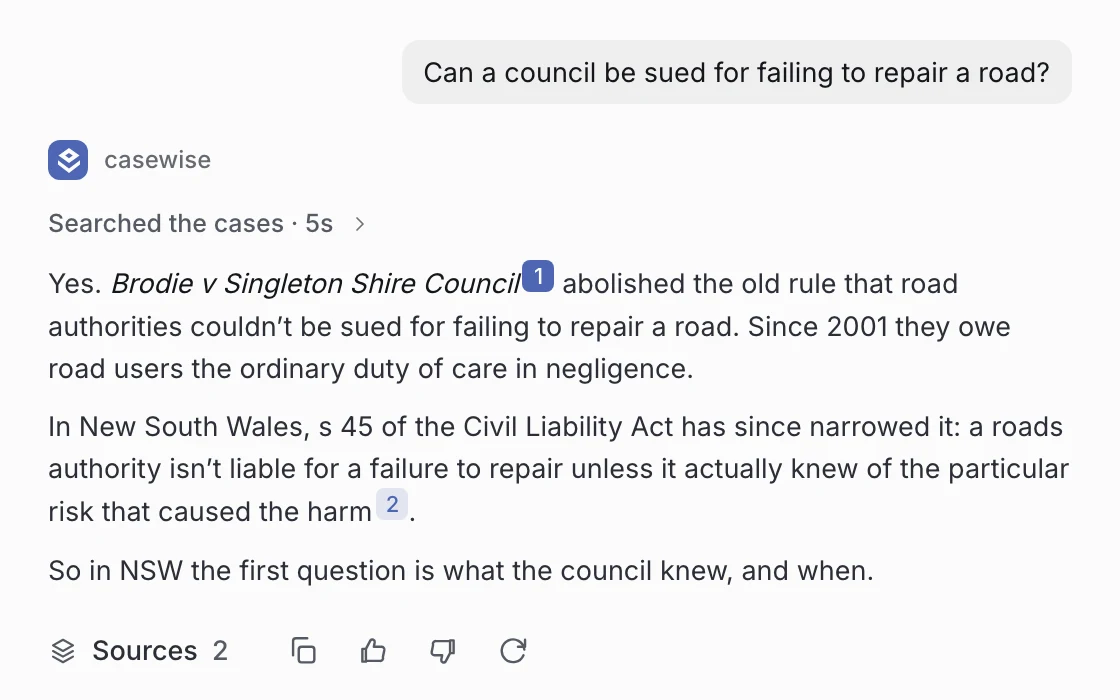
Can casewise read files in SharePoint and OneDrive?
Yes. Connect SharePoint or OneDrive and pick the folders you want. A file is either held, with a copy kept and read in full, or mapped, with a summary kept and the file fetched from where it lives when needed. casewise reads only what you can open.
Private until shared
Your files and chats stay yours unless you choose to share them.
Walls that really hide
Screen someone out of a matter and it drops from their lists and search.
Never trains a model
Nothing you add is ever used to train casewise or any other AI model.
Folders and files, like a drive
The Vault opens the way your drive does, and casewise reads what’s in it.
- 1A folder for every matterMade with the matter, and it works like any other folder.
- 2Whose it is, and when it changedEvery file and folder shows its owner and its last change.
- 3Where it livesSharePoint, OneDrive or uploaded: each file says where it’s from.
- 4Held or mappedA copy kept and read in full, or a summary and a fetch when needed.

What a firm’s files need
Bring them in, open them, share them and keep them where they belong.
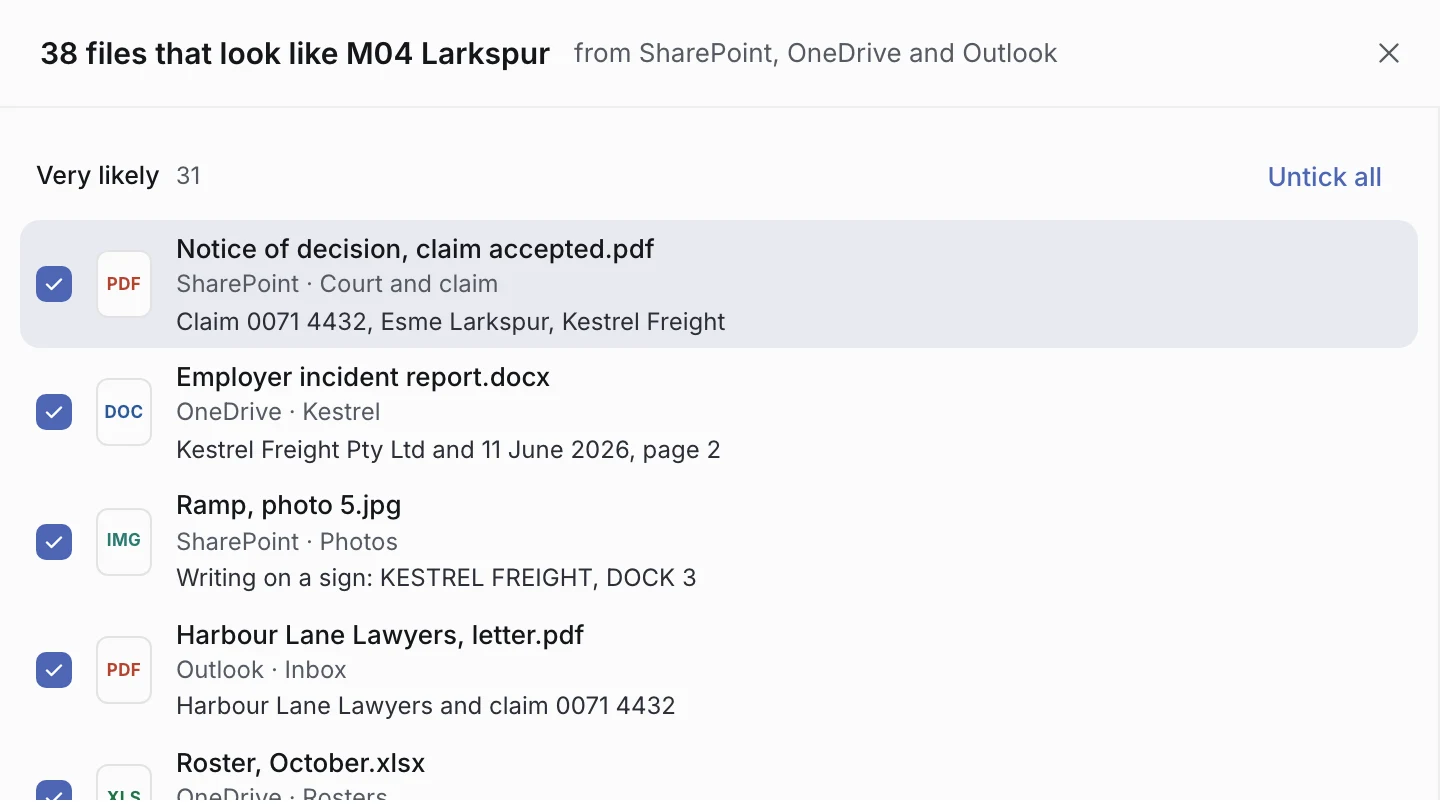
Find for me
Point it at SharePoint and OneDrive and it finds what looks like the matter.
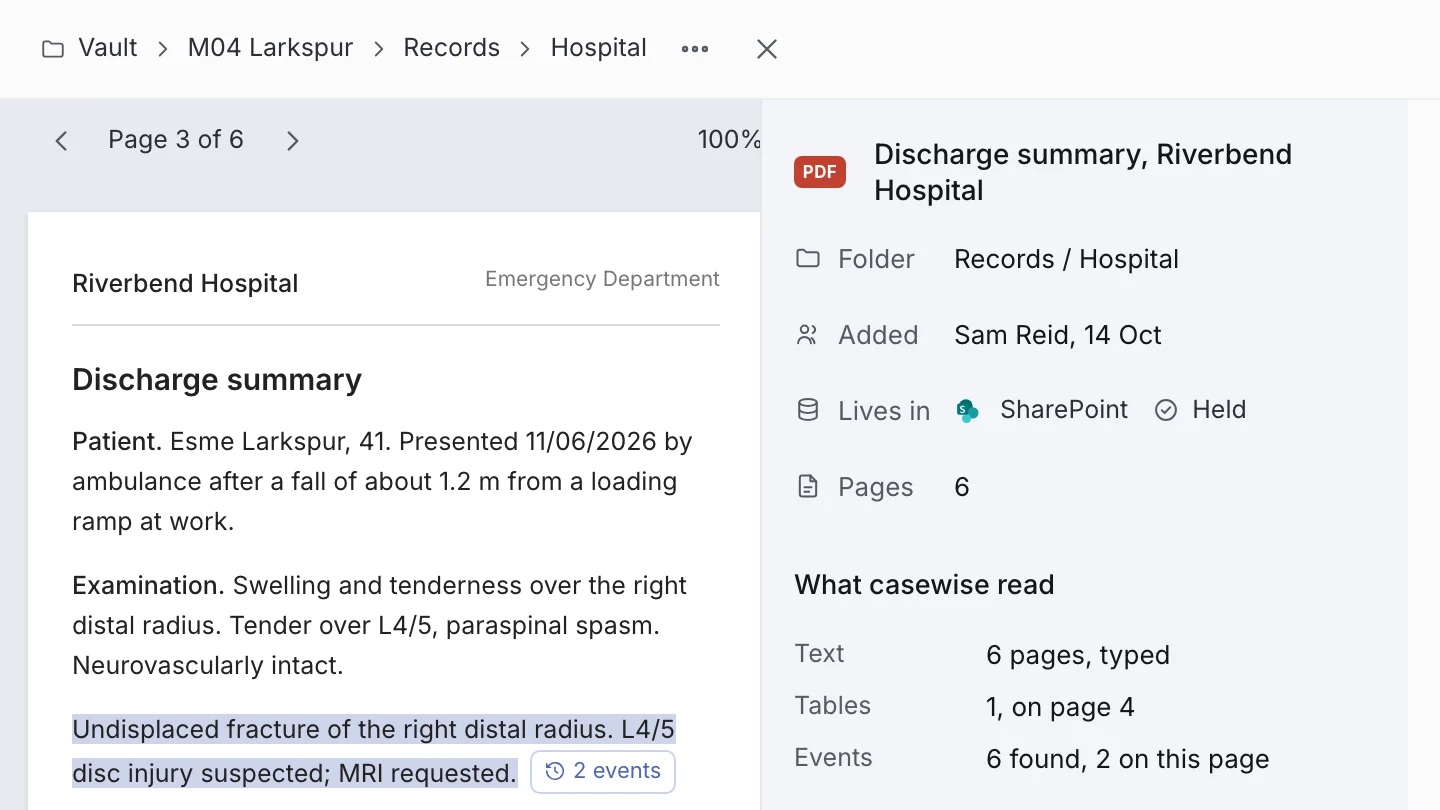
Open any file
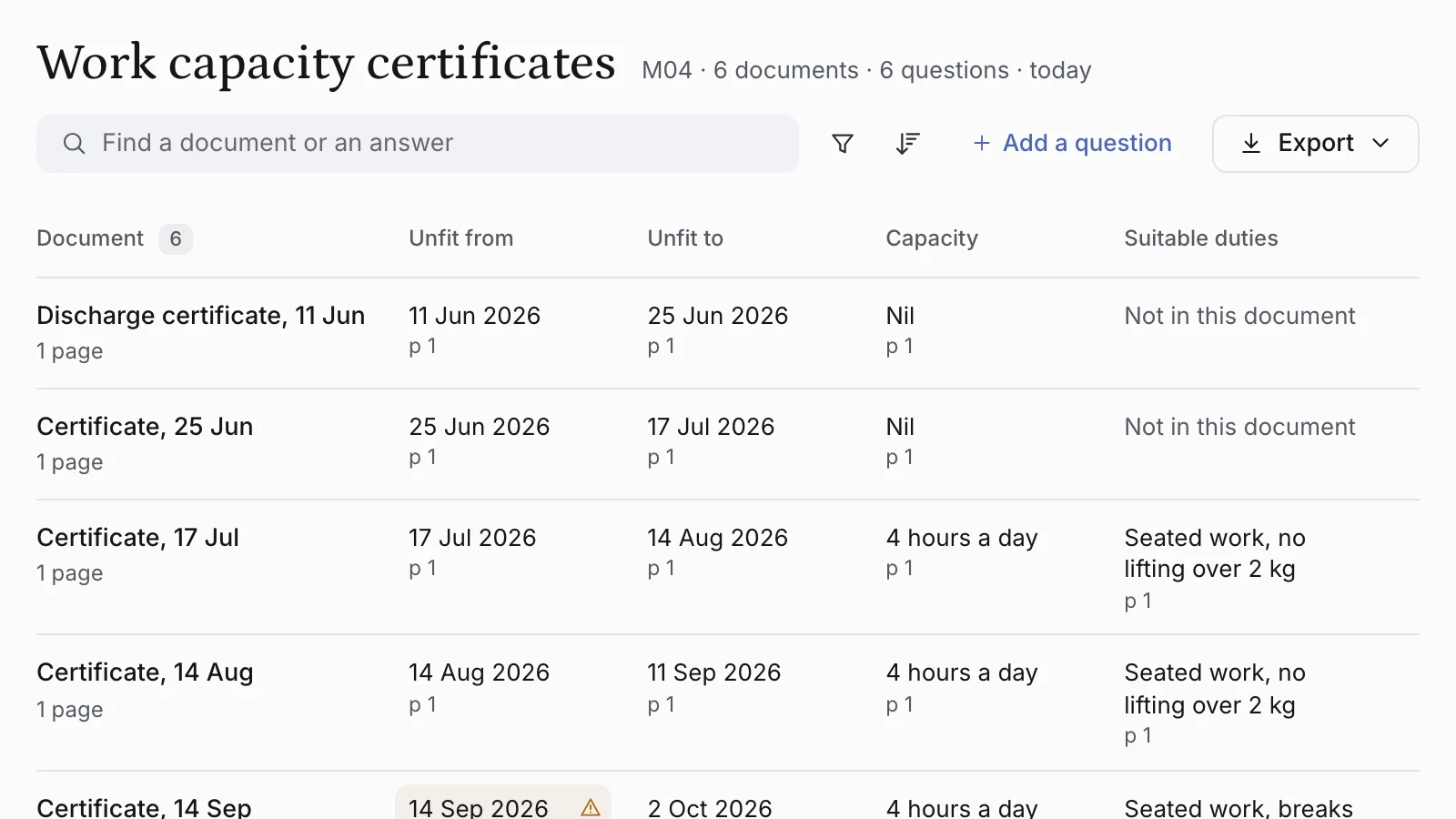
Read it, see what casewise read and where each matter uses it.
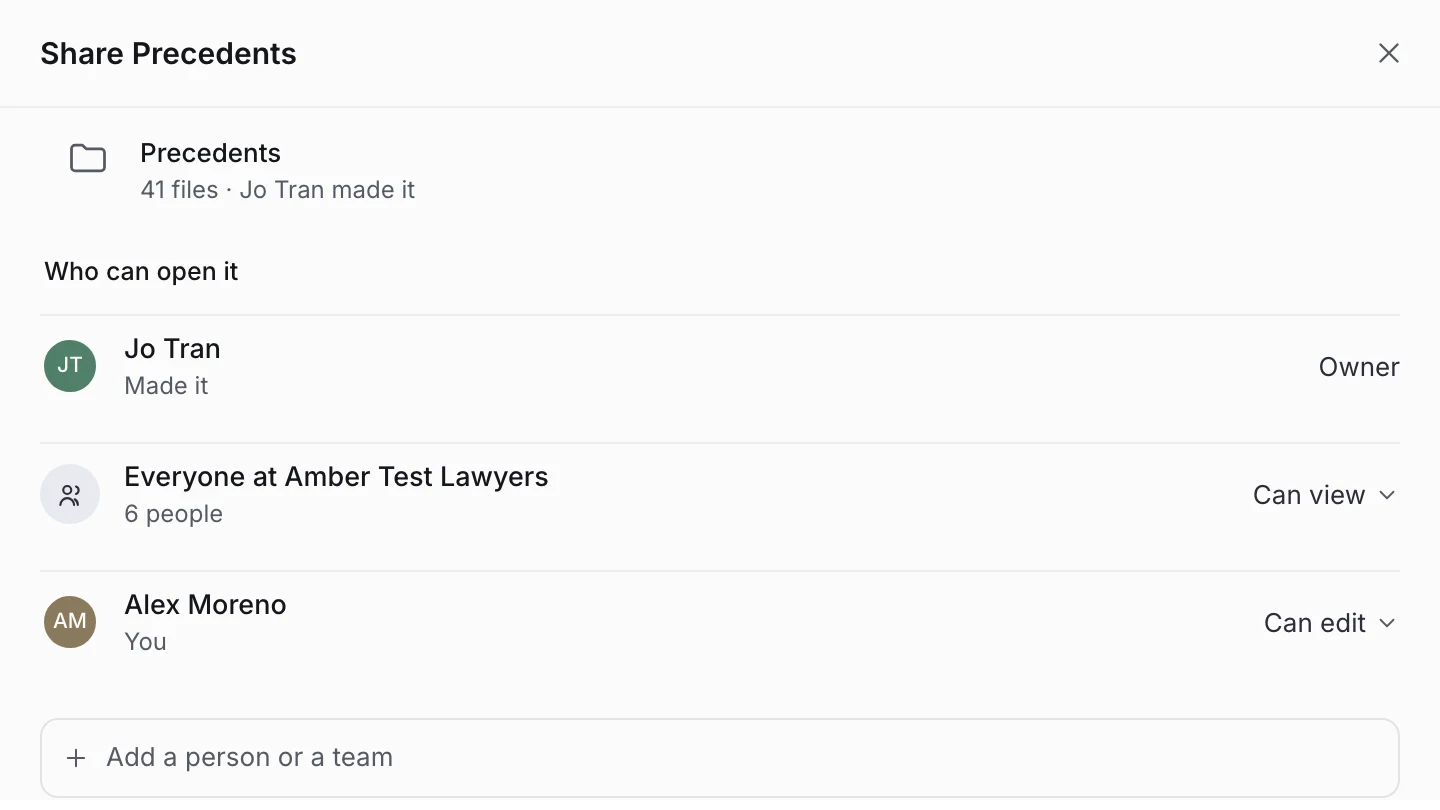
Share with the team
Share a file or folder with a person, a team or the whole firm.
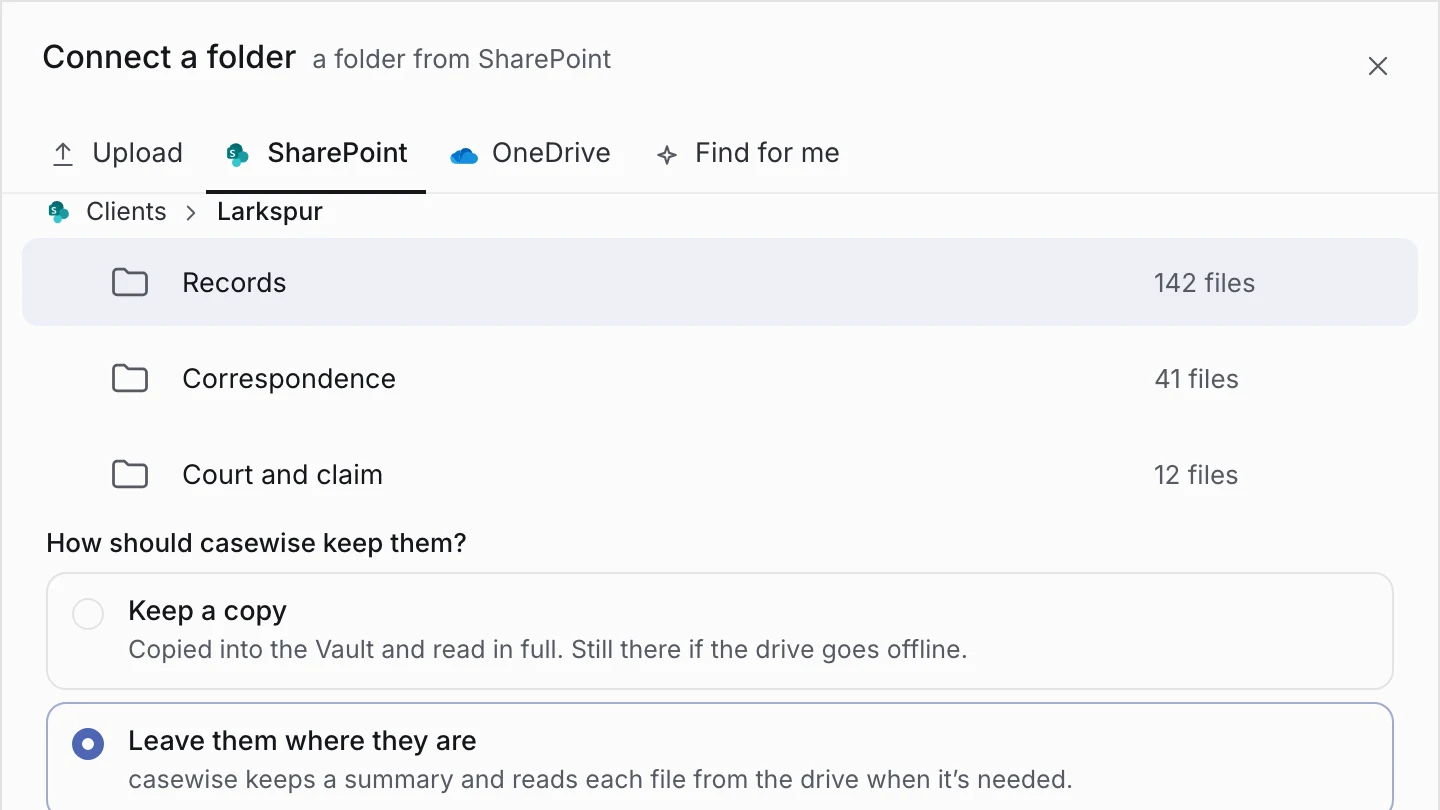
Connect SharePoint and OneDrive
Bring in the sites and folders you pick, held here or read from there.
See the Vault at work
Files in, found and opened, from start to finish.
Every file, where you’d look for it
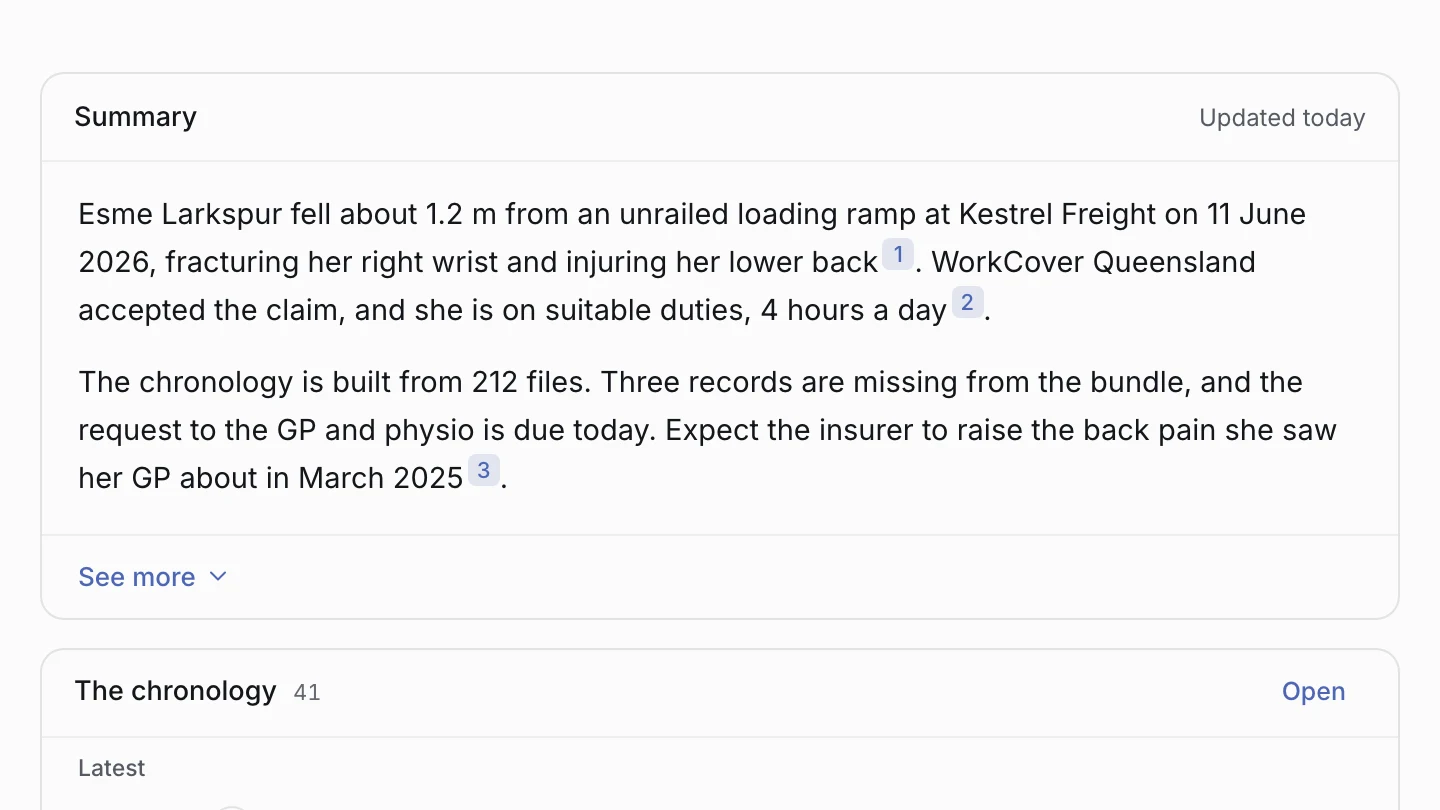
Bring your files in, and they sit in folders the way your drive does, with casewise reading them.
- Folders and files, like a drive
- casewise reads what’s in them
- Private until you share them
Then, on the same matter
FAQ
Where are my files kept?
Held in casewise, or left in SharePoint or OneDrive and read from there: your choice, per folder.
Who can see what’s in the Vault?
You, and the people you share it with. A wall takes a matter out of the Vault for the person it screens.
Are my files used to train models?
No. Nothing you add ever trains the models behind casewise, and providers work under contract with no training rights.
What is the difference between held and mapped?
A held file has a copy kept and is read in full. A mapped file has a summary kept, and casewise fetches the file from where it lives when it needs it.
Can I share a folder with my team?
Yes. Share a file or a folder with a person, a team or the whole firm, and a wall still takes a matter out of view for anyone it screens.
Bring your files to casewise.
The Vault on every professional plan, from A$79.99 a month.